Amending a Claimed Prescription
A submitted claim can be amended providing the claim is in the same claim reimbursement window.
To amend a claim:
- From the select eMessages
 . The eMessages screen displays.
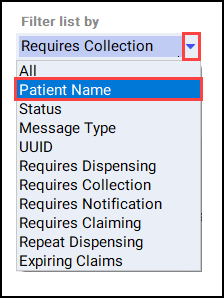
 - Select the Patient Name filter.
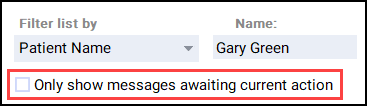
- Enter the Name of the patient.
- Remove the tick from the Only show messages awaiting current action checkbox.
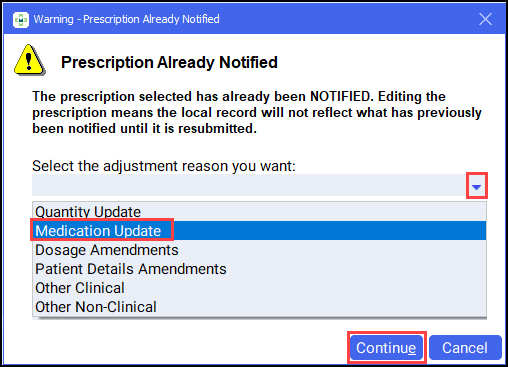
- Select the appropriate prescription and select Edit. The Prescription Already Notified screen displays.

- Select the appropriate adjustment reason, for example, Medication Update. Select Continue.
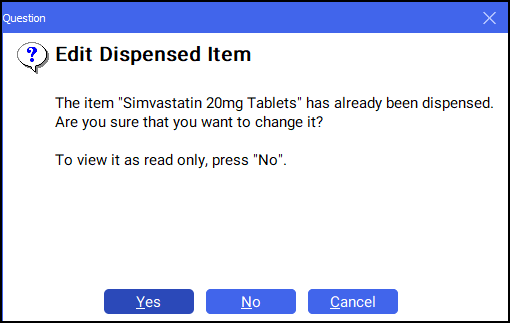
- The Edit Dispensed Item screen displays. Select Yes.
- The Dispensary screen displays with the prescription details. Edit the prescription accordingly.
- Select Finish
 .
. -
Endorse the prescription in the usual way. See .
- From the select eMessages .
- Select the appropriate prescription.
- Select Notify and select Claim. The amended claim is sent to the NHS Spine.

Amending a Claimed Prescription (1:18)

