Confirming Collection
Once a prescription has been dispensed and handed to the patient, it should be marked as ‘collected’ within Pharmacy Manager. Marking a prescription as collected automatically sends a Dispense Notification to the NHS Spine.
To mark a prescription as collected:
- From the select eMessages
 . The eMessages screen displays.
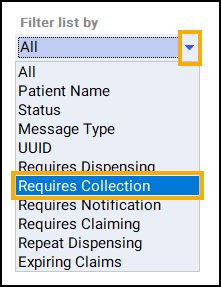
 - From Filter list by, select the Requires Collection filter:
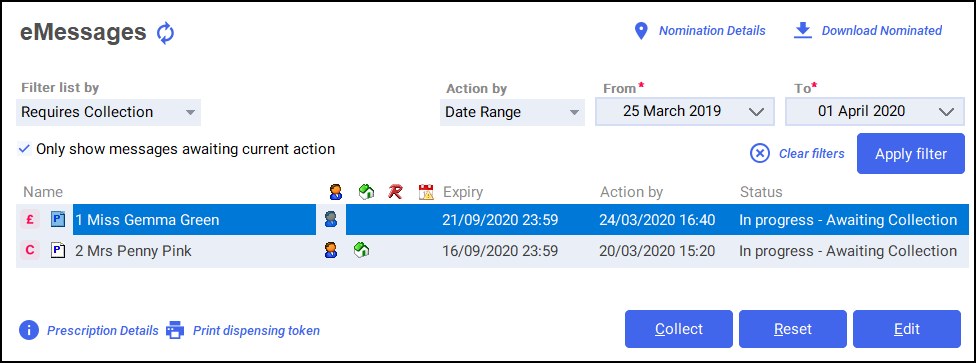
- Highlight the required prescription and select Collect
 .
. - The prescription is marked as collected and a dispensing notification is sent to the NHS Spine:
 Training Tip - To mark multiple prescriptions as collected, press and hold Ctrl on your keyboard, highlight each prescription and select Collect.
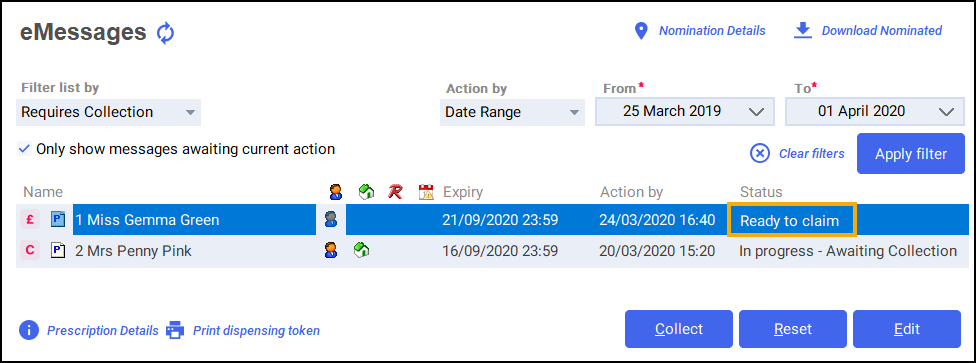
 - The status of the prescription changes to Ready to Claim:
Confirming Collection and Claiming Prescriptions (1:34)

