MMR Vaccine Reporting
The MMR Vaccine Reporting screen provides a summary view of the attempts made to sign up patients for the MMR vaccination.
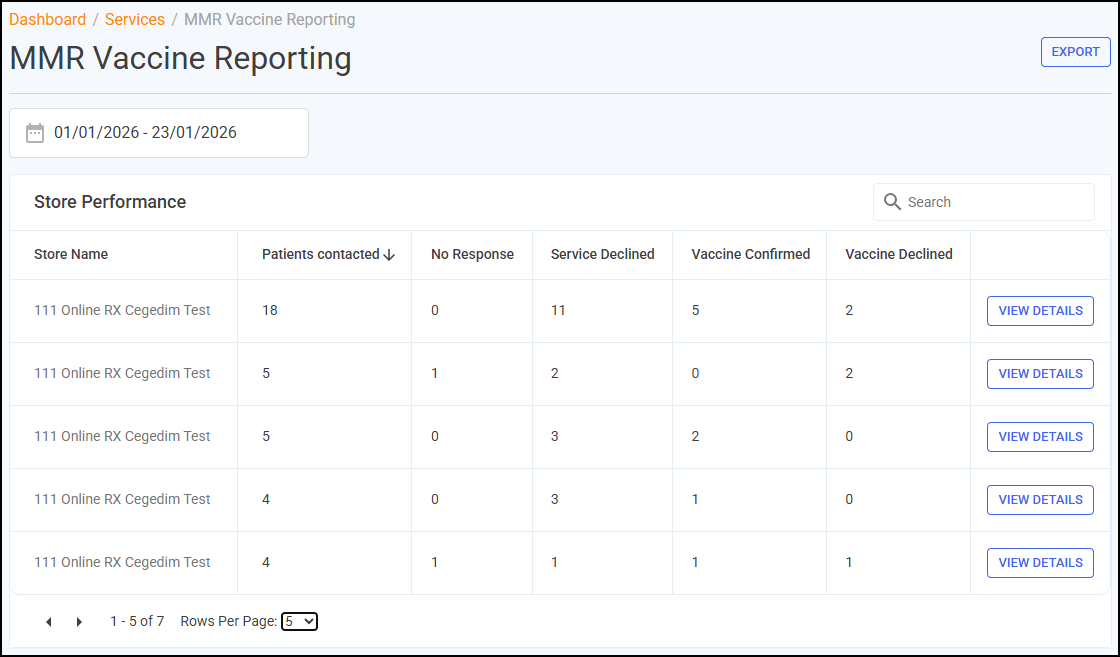
Store Performance Table
The Store Performance table displays an overview of your MMR services for each store in your group:
-
Store Name
-
Patients contacted- The number of patients contacted about the service.
-
No Response - The number of patients contacted with no response.
-
Service Declined - The number of patients who refused to participate in the service.
-
Vaccine Confirmed - The number of patients agreeing to receive the MMR vaccine.
-
Vaccine Declined - The number of patients declining to receive the MMR vaccine.
Searching, Sorting and Exporting Data
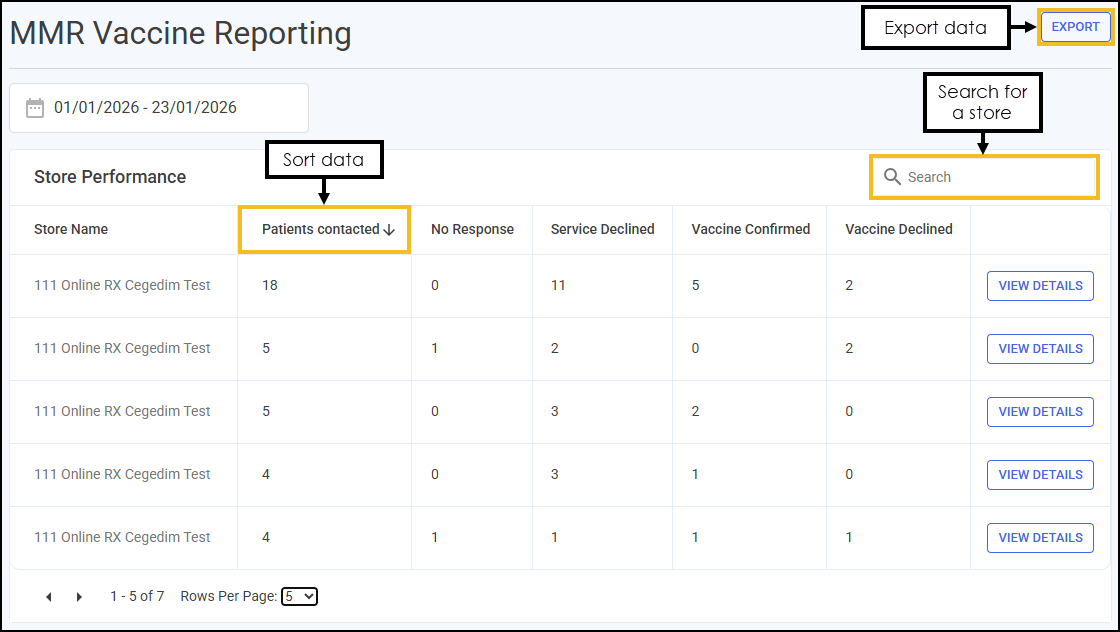
You can filter, search, sort and export the data displayed.
-
Search - To search for an individual store, enter the store name in Search
 , the table updates as you type.
 -
Sort Data - Select any header to sort your pharmacies by the chosen column, for example, select Patients contacted to sort by the number of patients being contacted per store. You can sort ascending or descending as required.
-
Exporting Data - To export the MMR data to a CSV (spreadsheet) file, select EXPORT
 and a CSV file is created in your local Downloads folder. Training Tip - To view the Downloads folder, open Windows File Explorer, locate and open Downloads. A list of your recently downloaded files display.
 in the top right corner and follow the on-screen prompts.