Pharmacy Services Release 11.1
Summary of Changes
Pharmacy Services release 11.1 contains the following new features and improvements:
All Services
-
Patient Search Improvements:
-
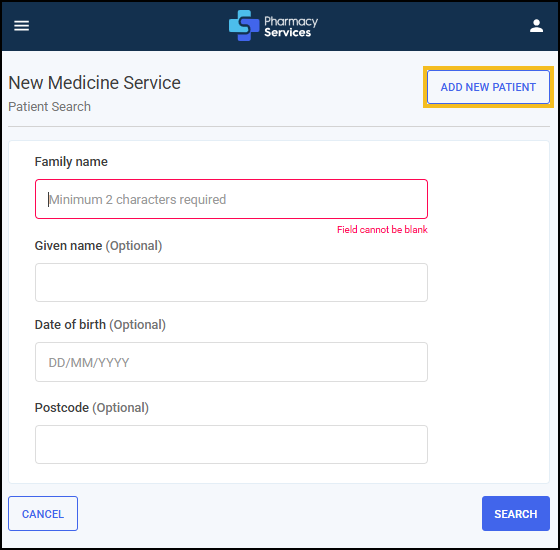
Add New Patient – New Option on Patient Search Screen - You can now choose to add a new patient directly from the Patient Search screen, before searching. If you are sure the patient is not already in the system, simply select ADD NEW PATIENT. Any details you enter will be automatically carried over to the PDS Search screen - no need to re-enter information. Saves time and streamlines the process.
-
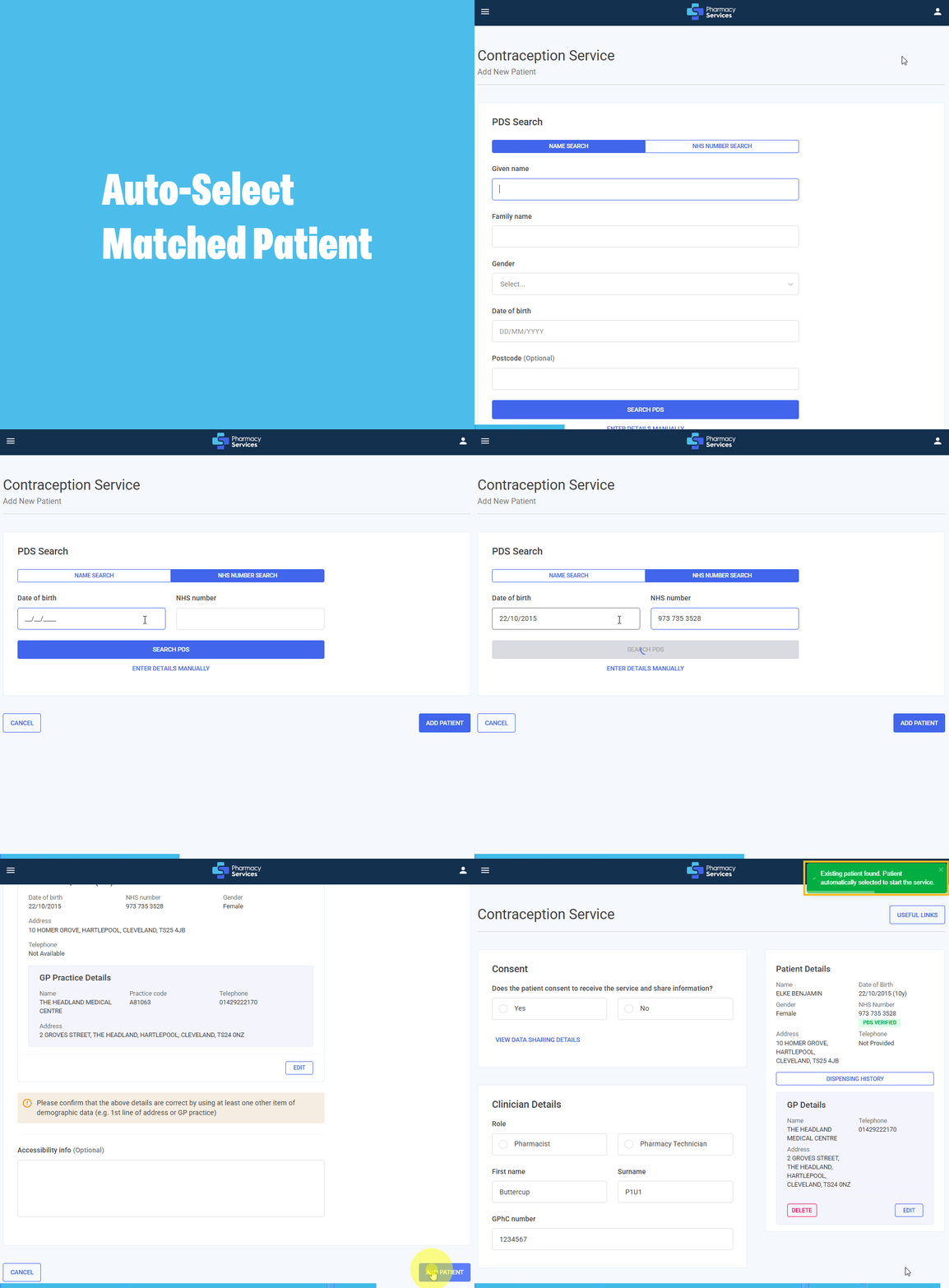
Auto-Select Matched Patient - When local and PDS patient data match exactly (name, date of birth, NHS number, address, gender), Pharmacy Services automatically selects the correct patient. No manual confirmation is required, and a notification advising 'Existing patient found. Patient automatically selected to start the service.' confirms the match and selection. Start the service instantly - no delays.
-
Patient Search Label Updates - The Patient Details screen is now named the PDS Search screen to better reflect the function.
-
Rename Surname to Family Name - Surname is now named Family Name on the Patient Search screen.
-
Warning & Prevention for Duplicate NHS Numbers - If a patient’s NHS number already exists locally, a warning displays when retrieving from PDS. You can then compare the data and choose to update the existing record. The Add New Patient option is no longer available on the Existing Patient Found screen - only Update Existing Patient is allowed. This helps prevent duplicates and keeps your records accurate and consistent.
-
Auto-Populate Names When Adding a New Patient - When you add a new patient, their Given Name and Family Name are automatically filled in all related forms - no re-typing needed, ensures accuracy and saves time.
What this means for you:
-
Add a new patient directly from the Patient Search screen - your details auto-populate across forms, saving time and reducing errors.
-
Pharmacy Services now auto-selects matching patients when data aligns exactly - no manual confirmation needed, just start the service instantly.
-
Key updates include clearer labels (Family Name, PDS Search) and smarter workflows to prevent duplicates and improve consistency.
-
Pharmacy First
-
Pregnancy Question in Clinical Pathway Walk-In Assessment - You’ll now be asked about pregnancy status in the clinical pathways walk-in Patient Assessment section.
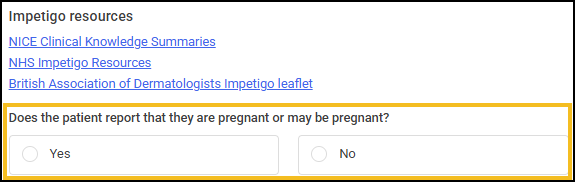
This helps you make informed decisions early and triggers the following actions when confirming a patient is or may be pregnant:
-
Pregnancy Status Now Auto-Updates - When you confirm a patient is or may be pregnant, the system automatically checks Yes in the Medical History and Clinical Checks sections. Saving you time and reducing errors.
-
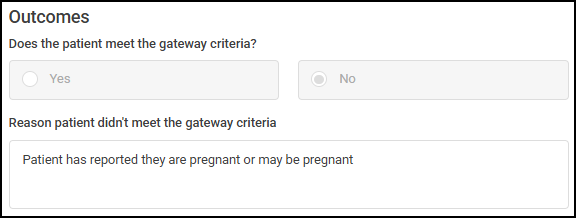
Pregnancy Check for Shingles & UTI Clinical Pathways - When you confirm a patient is or may be pregnant, and they are being assessed for Shingles or Urinary Tract Infection (UTI), you are prevented from completing the pathway and a clear reason displays in the Outcomes section. This ensures safe, guideline-compliant care.
-
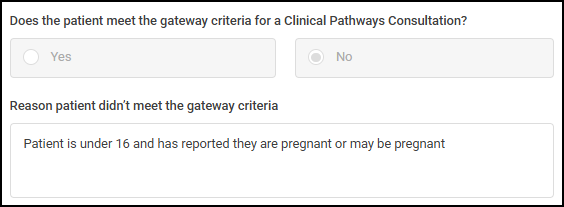
Alert for Under-16 Patients Who Are Pregnant - If a patient is under 16 and confirms they may be pregnant, you are prevented from completing the pathway and a clear reason displays - for safety and safeguarding.
What this means for you:
-
You will save time with auto-filled pregnancy information.
-
The system flags unsafe pathways for example, Shingles or UTI in pregnancy, or for patients under 16, to keep patients safe.
-
You stay in control - with clear warnings and less manual work.
See Creating a Walk-In Pharmacy First Referral for details. -
-
Filter Completed Consultations by Consultation Date - The Consultation Date column replaces Referral Date on the Completed screen, and you can now filter completed consultations by date range for faster, more accurate searches.
-
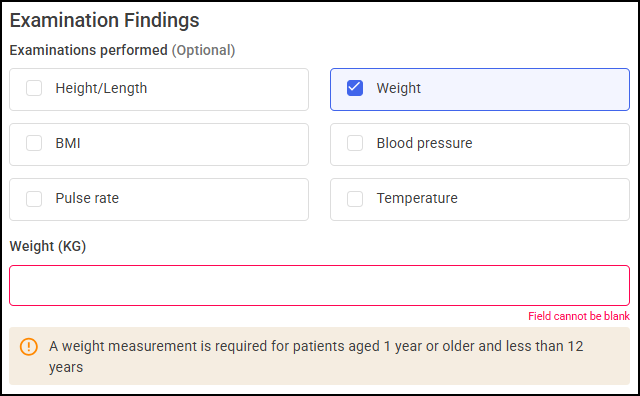
Mandatory Weight Measurement for Ages 1–12 Years - It is now mandatory to enter a Weight in the Examination Findings section of Clinical Pathways for patients aged 12–143 months. The system auto-checks Weight, displays a reminder, and prevents completion if missing. Patients outside this age range are unaffected.
 See Minor Illness/Clinical Pathways Consultation for details.
Contraception
-
Filter Completed Consultations by Consultation Date - Now easily find completed consultations within a specific date range using the new Consultation Date filter.
This release also includes some background fixes and improvements to Pharmacy Services.
 in the top right corner and follow the on-screen prompts.