Medication Details
 to view the Patient Details. Either from the Medication tab, select and item and then select Details or from the History tab select a dispensed product item, select Details to view the Prescription Item Details screen. Finally, select Details .
This screen shows you further information about the particular medication as used by that patient.
The screen is split into multiple tabs:
Details
This shows you the details of a particular medication for that patient.
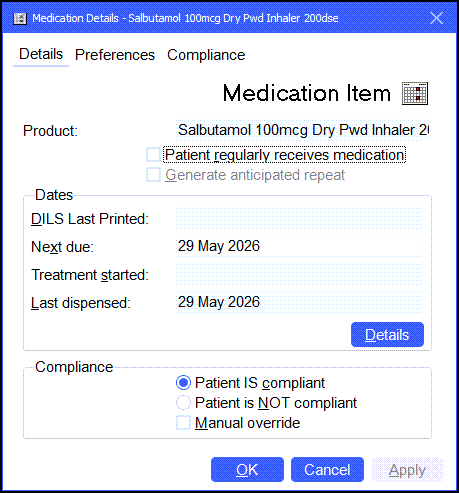
In this screen you can set:
-
Patient regularly receives medication. This is the same as pressing Ctrl + R on your keyboard when dispensing. It marks an item as regular.
-
Generate an anticipated repeat. See Anticipated Repeats for details.
-
Patient is compliant
-
Patient is not compliant
Preferences
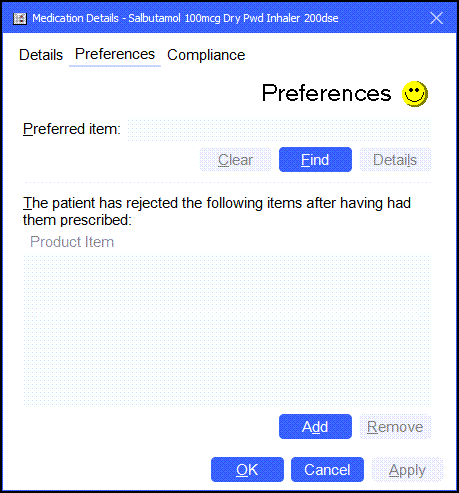
Suppose a patient has a reaction to your default item, but not that of another manufacturer, you can enter the preferred item information here. This shows when dispensing the item to remind you to dispense an alternative version.
Compliance
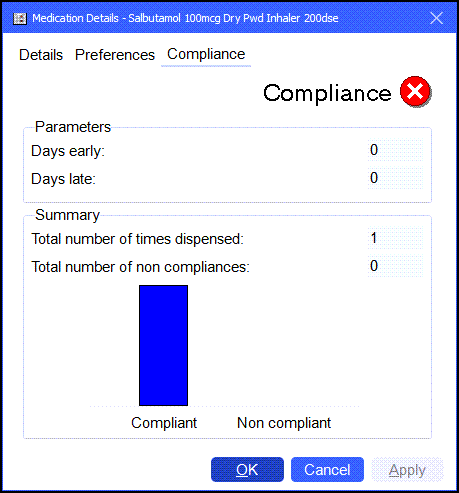
The system keeps its own records of patient compliance.