Dispensed Item Report
You can easily run a report on items dispensed in Pharmacy Manager with chosen criteria. To run this report:
-
From the select Reports
 .
. -
From the list of available reports, select Dispensed Item Report and then select Run.

-
The Run Report "Dispensed Item Report" screen displays.

-
Double click on the below options as required to narrow down your search, leave blank if the filter is not required:
 Product filter
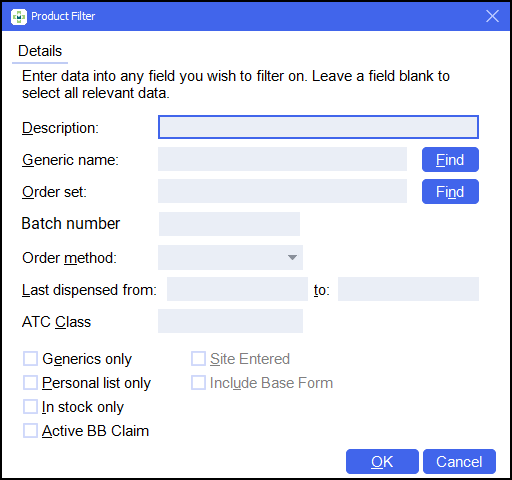
-
Enter data into any field you wish to filter on. Leave a field blank to select all relevant data.
-
Select OK
 .
.
Dispensed item filter

-
Select any additional filters, for example the Form type or to include patients from a particular nursing home. Leave a field blank to select all relevant data.
-
Select OK
.
Date range filter

-
Set the date range required.
Training Tip - Enter a Full Stop . and then press Enter on your keyboard to enter today's date. -
Select OK
.
See Quick Entry Date Codes for more details on adding dates in Pharmacy Manager.Prescriber filter

-
Search for a practice or prescriber to filter the results.
-
Tick the Sort by prescriber option to sort the results by prescriber.
-
Select OK
.
Select output destination

-
Select either:
-
Print/Preview - Opens a preview of the report.
-
Save to report directory - To save the report to your system.
Training Tip - To view saved reports, from the Reports screen select View - Saved Reports. -
Send to Network Manager - Enter your Network Manager Account details.
-
Send to Branch Manager.
-
-
Select OK
.
-
-
Select OK
.
The Dispensed Item Report displays:

If you have selected to sort by prescriber the output displays as follows:

 in the top right corner and follow the on-screen prompts.