Fulfilling an Owing
To fulfil an owing:
- From the select Owings
 .
. - Optionally, select Date and set a date range to display.
- Highlight the appropriate Owing and select Prepare
 .
. - The Prepare owing screen displays, complete as required:
- Dispensed as - Update if required.
- Quantity Disp - Update to partially dispense the item(s).
- Owe - If required, use to create a further owing:
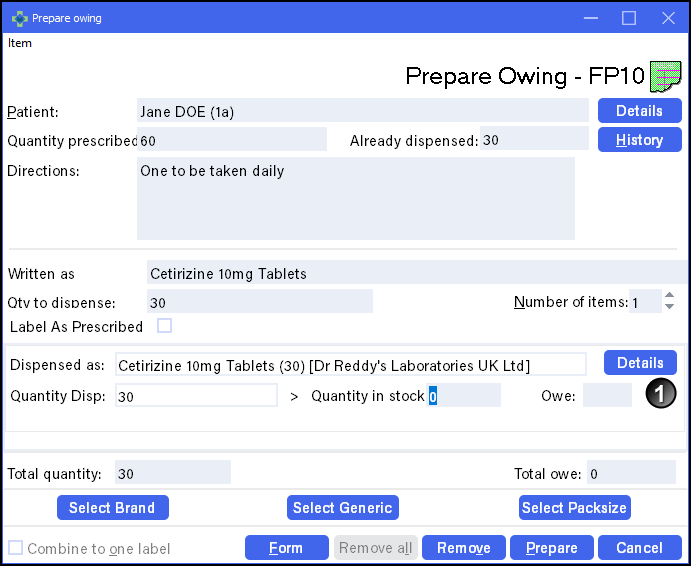
- Select Prepare to print the item and any further owing label(s).
- When the patient collects their medication, from Owings , highlight the owing and select Collect
 . If a patient does not collect a prepared owing, simply select Remove
  to return the item to stock.
Note - The patient owing displays on the Owings screen until marked as collected or removed.
Creating and Completing an Owing (1:30)

