Bulk Operation - Remove Service Label Suspension Flags
Within Pharmacy Manager it is easy to identify patients that are suitable candidates for Pharmacy Services.
Within Patient Details you can stop the Pharmacy Services eligibility labels from printing for a patient, this bulk operation clears these settings and enables labels to print for all eligible patients again.
To run the Remove Service Label Suspension Flag bulk operation:
-
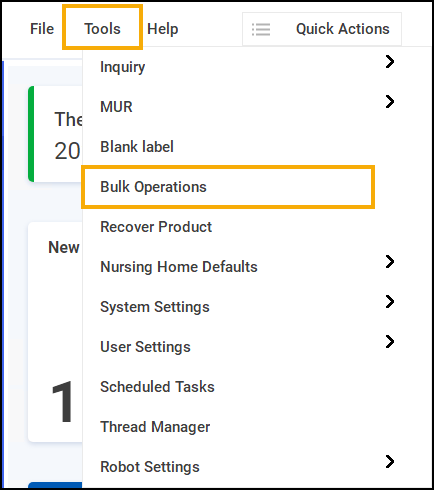
From the Pharmacy Manager Toolbar, select Tools - Bulk Operations.
-
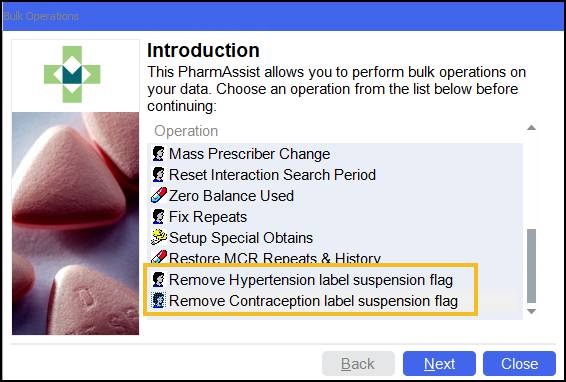
The Bulk Operations screen displays, select Remove Service label suspension flag and then select Next
 .
.
-
The Remove Service label suspension flag screen displays, select Start
 to make all patients eligible for the service prompting again.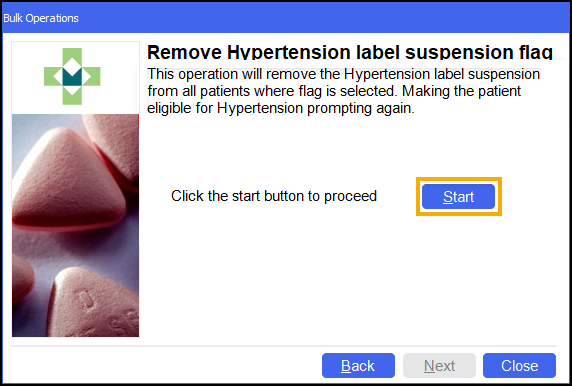
-
The Finished screen displays.
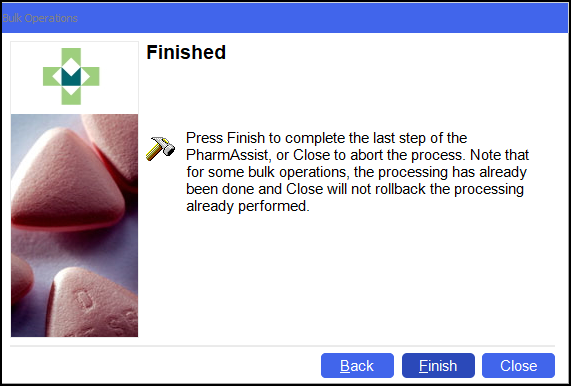
Select Finish
 .
.
All eligible patients are now prompted for the service.
 in the top right corner and follow the on-screen prompts.