Bulk Operation - Remove Prepared Owings
Within Pharmacy Manager you can use the Remove prepared owings feature to quickly clear multiple owings at once, provided the associated prescriptions have already been collected. Any owing with a Prepared status and a Collected prescription are automatically removed from the Owings screen, so you can focus on more urgent tasks.
To run the Remove prepared owings bulk operation:
-
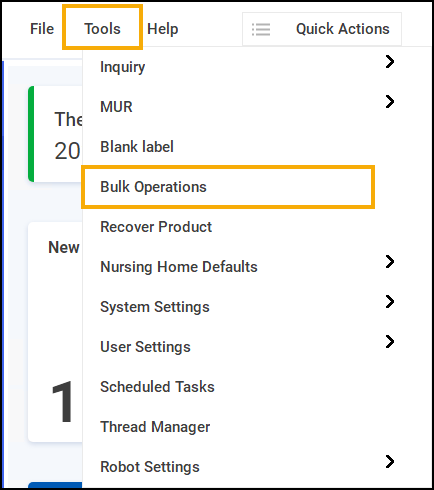
From the Pharmacy Manager Toolbar, select Tools - Bulk Operations.
-
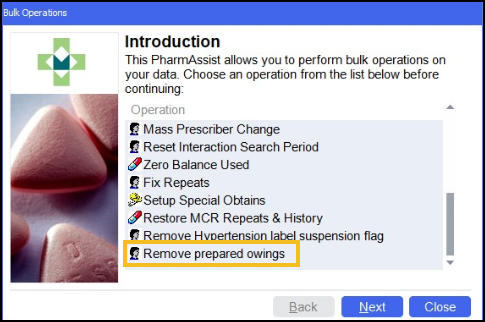
The Bulk Operations screen displays, select Remove prepared owings and then select Next
 .
.
-
The Remove prepared owings screen displays, select Start
 to make all patients eligible for the service prompting again.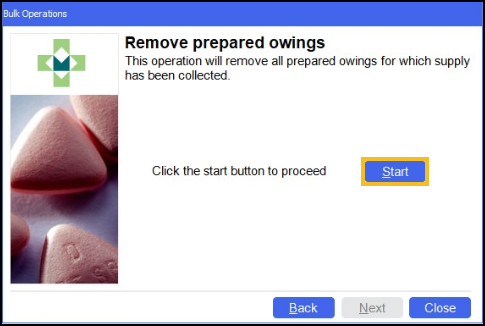
-
The Finished screen displays.
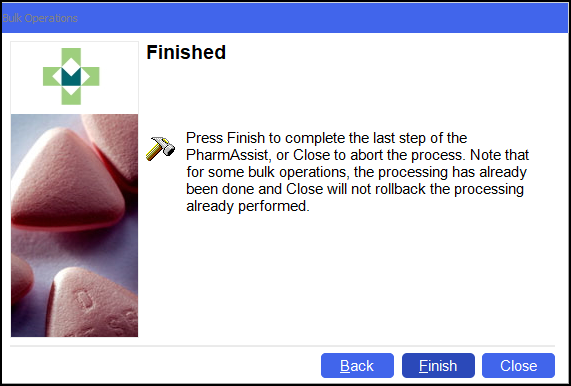
Select Finish
 .
.
All eligible owings are now marked as collected and removed from the Owings screen. The Patient History screen includes an entry advising the owing is marked as collected.
 in the top right corner and follow the on-screen prompts.