Viewing MMR Call/Recall Service Episodes
To view active and completed South West London MMR Call/Recall Service episodes:
Viewing Active South West London MMR Call/Recall Service Episodes
Your in progress South West London MMR Call/Recall Service episodes display on the Active tab. To view your active services in Pharmacy Services:
-
From the Side Navigation Bar, select MMR Call/Recall
 . The Active tab displays by default and lists any in progress or pending episodes.
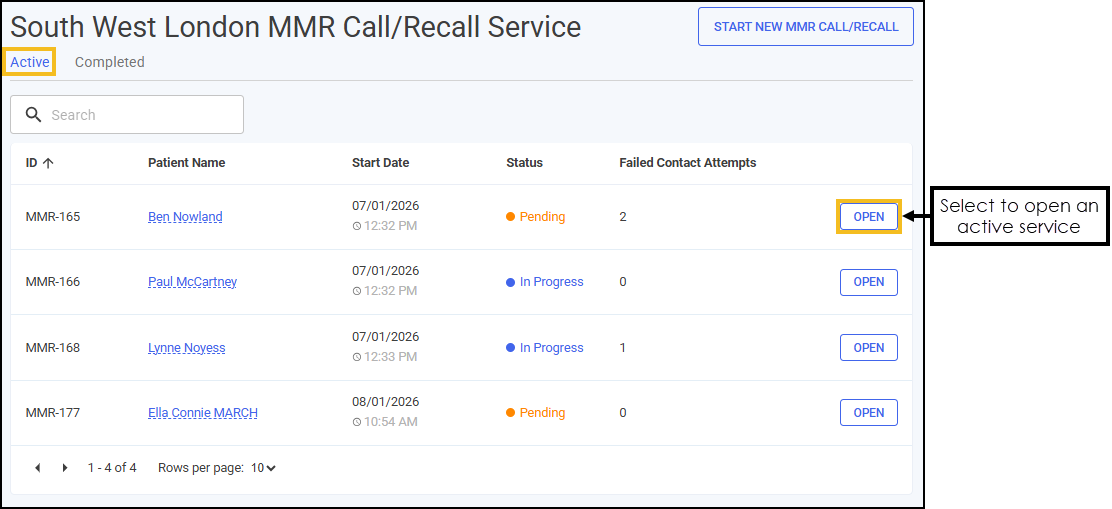 See Searching for, Sorting or Filtering MMR Call/Recall Services for details on how to sort your South West London MMR Call/Recall Service episodes.
 -
Select OPEN
 to open an active episode. The episode opens on the screen where it was last saved.
Viewing Completed South West London MMR Call/Recall Service Episodes
Your closed and completed South West London MMR Call/Recall Service episodes display on the Completed tab. To view your closed and completed episodes in Pharmacy Services:
-
From the Side Navigation Bar, select MMR Call/Recall
. Select the Completed tab, a list of closed and completed episodes displays.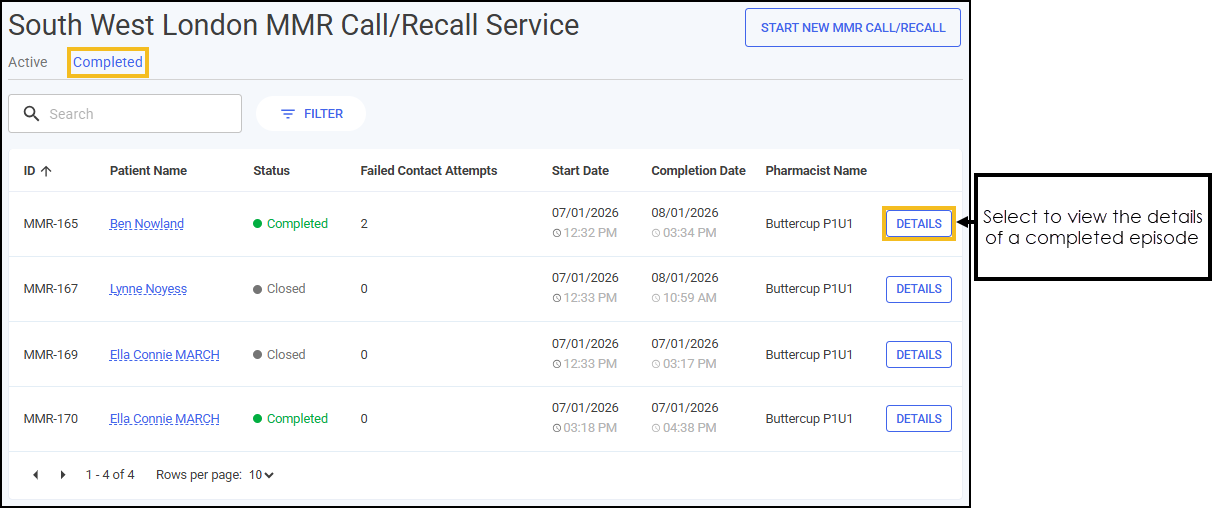 See Searching for, Sorting or Filtering MMR Call/Recall Services for details on how to sort your South West London MMR Call/Recall Service episodes.
 -
Select DETAILS
 next to the required episode.
 -
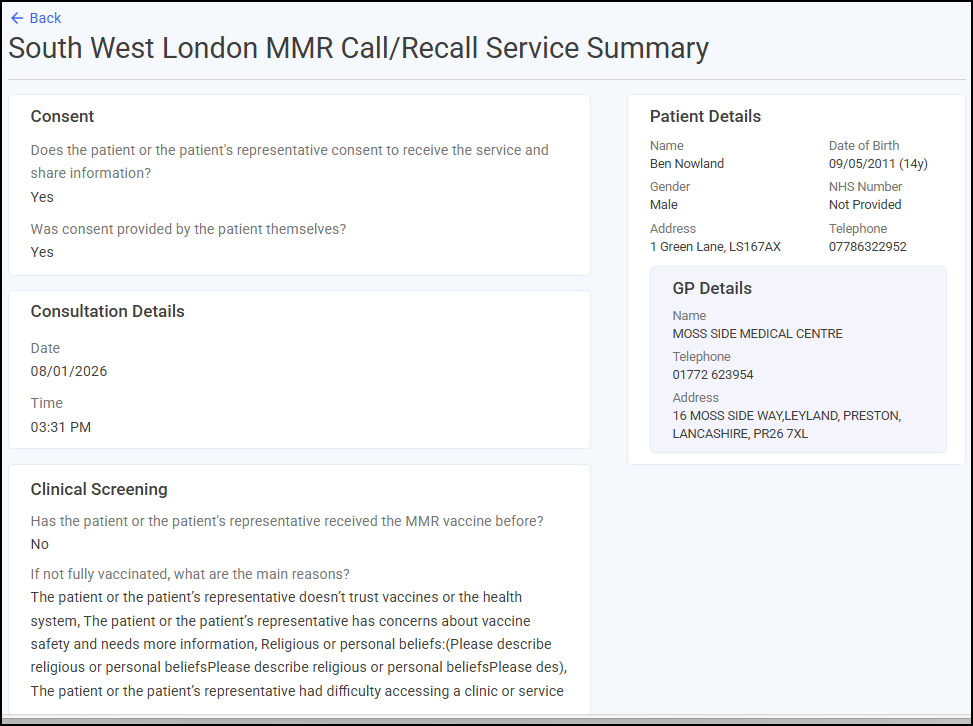
The South West London MMR Call/Recall Service Summary screen displays the patient's details and a summary of the completed service episode.
-
Select Back
 to return to the Completed screen.
 in the top right corner and follow the on-screen prompts.