Completing a MMR Call/Recall Service
The South West London MMR Call/Recall Service screen displays once you start a new service and select a patient.
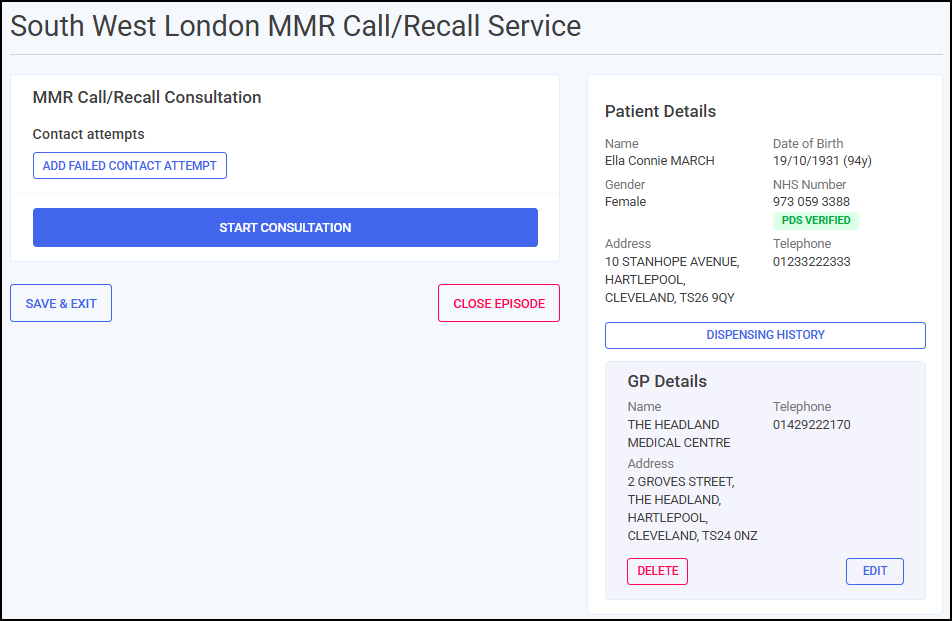
From the MMR Call/Recall Consultation section you can either:
-
Add a failed contact attempt, see MMR - Adding Contact Attempts for details.
-
Start a consultation, see below to complete the consultation sections.
The South West London MMR Call/Recall Service screen includes the following sections, complete as appropriate:
 Consent
You must record the patient consents to receive the service and share data before recording any other data. To record consent:
-
Select VIEW DATA SHARING DETAILS
 to display the data sharing details.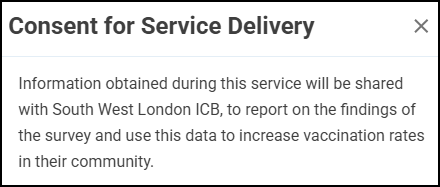
-
Select Close
 to exit the data sharing details and return to the Consent section.
 -
In the Consent section, select either:
-
Yes - To record that the patient consents to data sharing, and continue to the Consultation Details section, or
-
No - To record that the patient does not consent to data sharing, and then select CLOSE
 to close the South West London MMR Call/Recall Service screen. This episode saves to the Completed tab.
-
-
Confirm if consent was provided by the patient themselves, select either:
-
Yes - To record that the patient provided consent themselves and continue to the Vaccinations section, or
-
No - To record that a representative provided consent. In the Consent provided by section, select an option from the available list.

-
Consultation Details
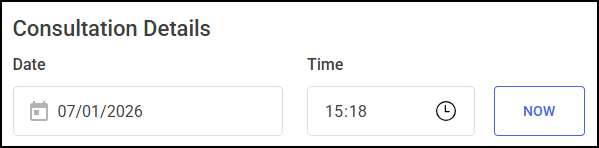
Complete the date and time of this consultation.
-
Date - Select Date
 to open a calendar and select a date, or select NOW
  to add the current date and time.
 -
Time - Select Time
 to enter the time of consultation, or select NOW to add the current date and time.
Clinical Screening
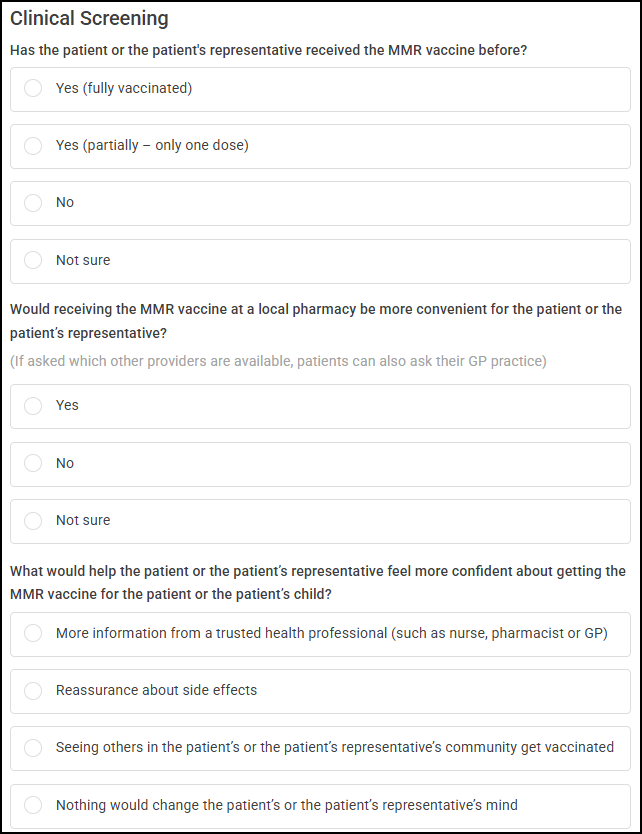
Select the appropriate response to each question and add any additional information when prompted.
-
Has the patient or the patient's representative received the MMR vaccine before? - Select either:
-
Yes (fully vaccinated)
Important - A consultation should still be completed if you have contacted the patient and they are fully vaccinated. -
Yes (partially - only one dose)
-
No
-
Not sure
-
-
If not fully vaccinated, what are the main reasons? - Select all that apply:
-
The patient or the patient’s representative wasn’t aware that the patient/their child needed it
-
The patient or the patient’s representative thought the patient/their child was already fully vaccinated
-
The patient or the patient’s representative has been too busy/hasn’t had time for it
-
The patient or the patient’s representative has concerns about vaccine safety and needs more information
-
The patient or the patient’s representative doesn’t trust vaccines or the health system
-
Religious or personal beliefs - Please describe religious or personal beliefs in the free text section.
-
The patient or the patient’s representative had difficulty accessing a clinic or service
-
Other - Please state a reason in the free text section.
-
-
Would receiving the MMR vaccine at a local pharmacy be more convenient for the patient or the patient’s representative? - Select either:
-
Yes
-
No
-
Not sure
-
-
What would help the patient or the patient’s representative feel more confident about getting the MMR vaccine for the patient or the patient’s child? - Select either:
-
More information from a trusted health professional (such as nurse, pharmacist or GP)
-
Reassurance about side effects
-
Seeing others in the patient’s or the patient’s representative’s community get vaccinated
-
Nothing would change the patient’s or the patient’s representative’s mind
-
Knowing risks of not having vaccination
-
Other - Please state in the free text section.
-
-
Does the patient, or the patient’s representative, have any questions or concerns about the MMR vaccine? (Optional) - If required, record any questions or concerns in the free text section.
Training Tip - This is a free text entry section allowing up to 500 characters.
Service Provision
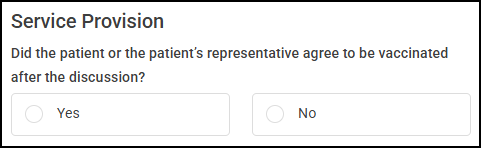
Complete as appropriate:
-
Did the patient or the patient’s representative agree to be vaccinated after the discussion? - Select either:
-
Yes, or
-
No
-
Clinician Details
This section automatically populates with the logged in user's details.
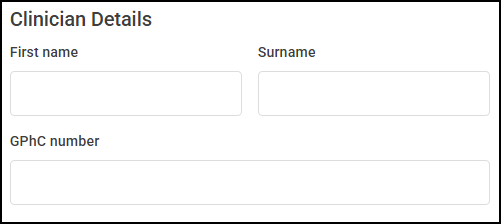
Update the details manually if required.
Once all sections are complete:
-
Select COMPLETE
 to complete the South West London MMR Call/Recall Service. Training Tip - If you are not ready to complete the episode and want to return to it later, select SAVE & EXIT
 .
. -
The Complete Confirmation screen displays. Select COMPLETE
to complete the episode.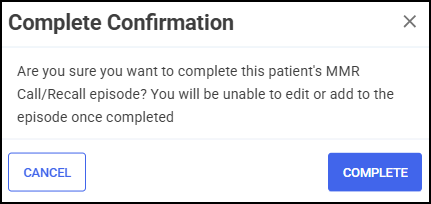 Training Tip - Select CANCEL
 to return to the previous screen.
 -
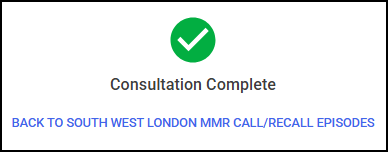
The Consultation Complete screen displays.
-
Select BACK TO SOUTH WEST LONDON MMR CALL/RECALL EPISODES
 to return to the South West London MMR Call/Recall Service screen. The service completes and displays on the Completed screen.
 in the top right corner and follow the on-screen prompts.