Pharmacy Services Release 10.6
Summary of Changes
Pharmacy Services release 10.6 contains the following new features and improvements:
Contraception
-
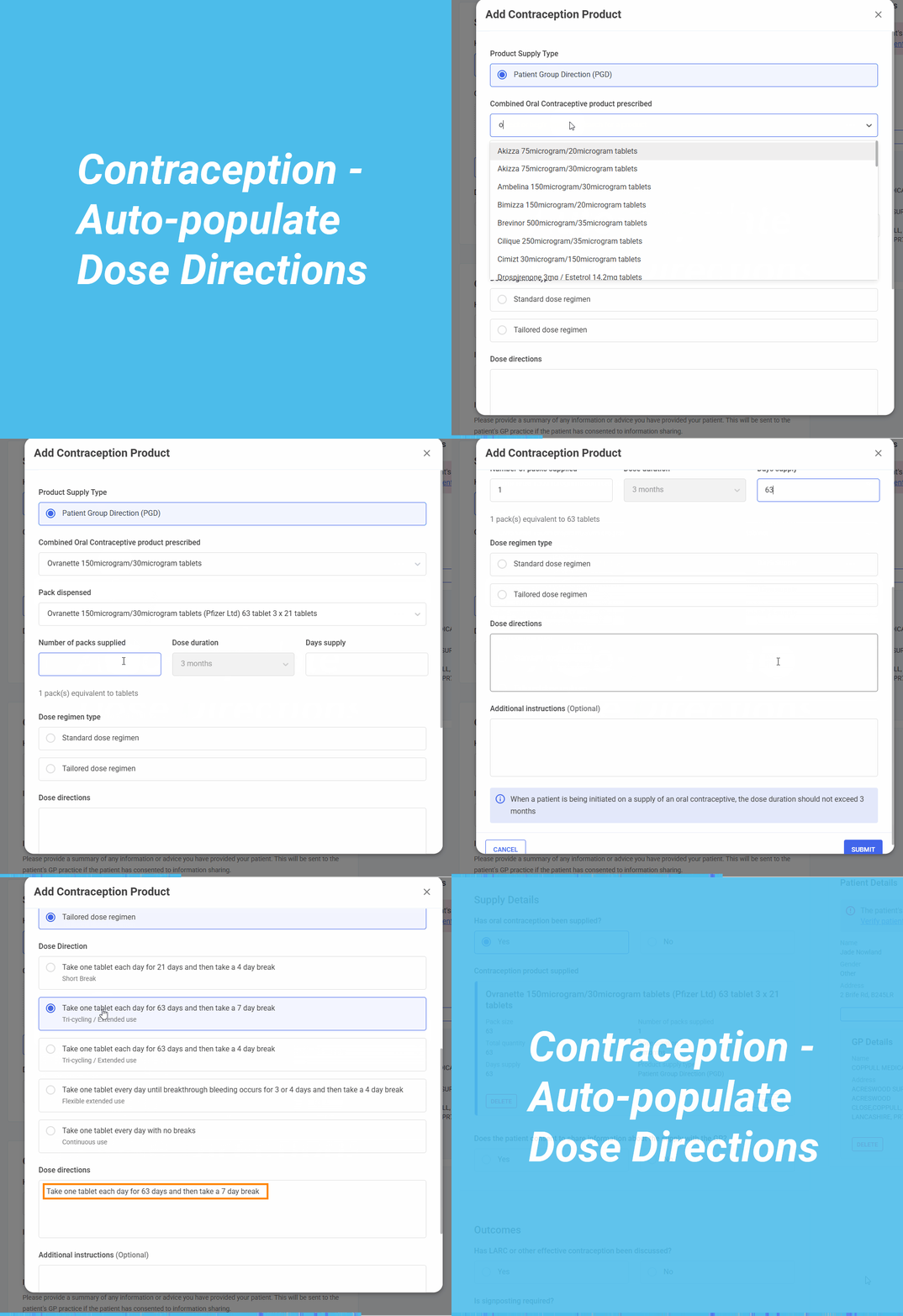
Auto-populate Dose Directions in Contraception Service Form - When selecting an oral contraceptive, the Dose directions section now auto-populates with the standard instruction, such as “Take one tablet daily at the same time each day.” This helps to ensure consistency and saves time.
For Combined Oral Contraceptives (COC), a Dose regimen type option displays, offering two choices:
-
Standard - Defaults to “Take one tablet each day for 21 days, then take a 7-day break.”.
-
Tailored - Offers alternative regimens, including shorter breaks, extended use, or continuous daily use.
Selecting any option updates the Dose directions section automatically. If you switch regimens or products, the section updates instantly - even if previously edited.
For Progestogen-only products, the dose directions still auto-populate based on the selected product, but no regimen type selection is available.
You can still edit the field for patient-specific needs, such as timing or reminders.
-
-
Safeguarding - The Safeguarding section now displays below the Consultation Details section in the Contraception service, and includes age-dependent safeguarding questions, with additional Fraser guidelines-based questions for patients under 16, and a modified set of questions for those under 18.
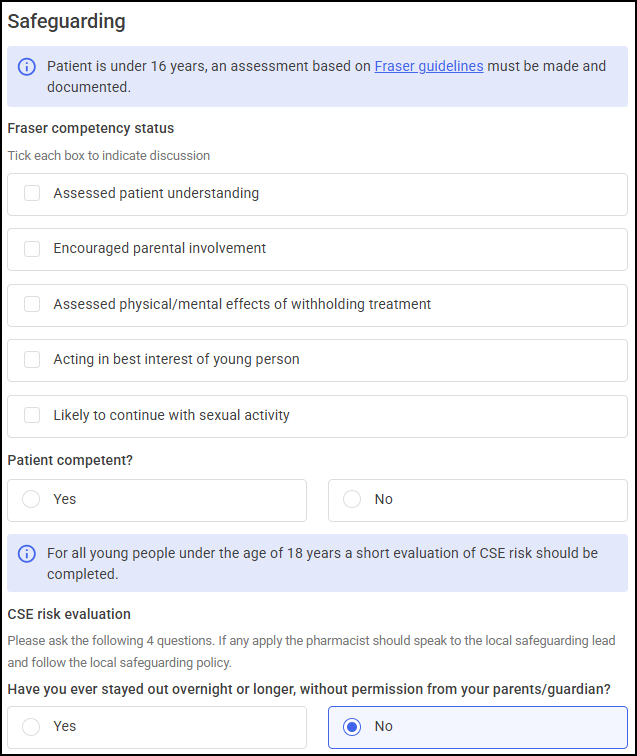 Note - Details recorded in the Safeguarding section are included in the service summary. See Fraser guidelines for details.
 -
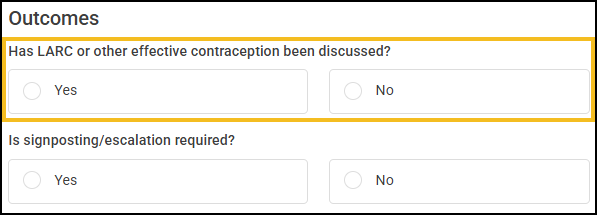
LARC update - The Outcomes section now includes the question Has Larc (Long-Acting Reversible Contraception) or other effective contraception been discussed?. This change streamlines the workflow and emphasises the importance of this step.
NMS
-
NMS Contact Attempts - NMS now supports the recording of failed contact attempts within the Intervention and Follow Up sessions. When a patient is unreachable, you can record a failed contact attempt for these sessions.
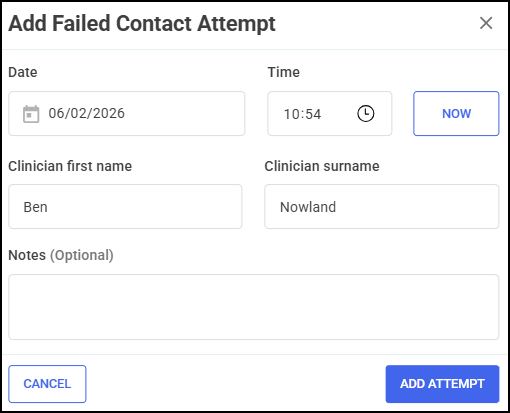
A summary of up to 10 recent failed contact attempts can display on the session tile for quick reference. Once three failed contact attempts have been recorded for a session, the NMS episode can be formally closed.
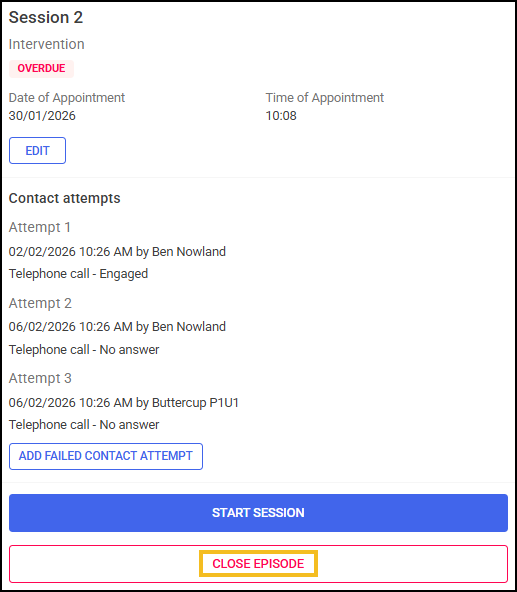
This enhancement improves tracking of patient engagement efforts and streamlines episode closure when appropriate.
See NMS - Adding Contact Attempts for details.
This release also includes some background fixes and improvements to Pharmacy Services.
 in the top right corner and follow the on-screen prompts.